
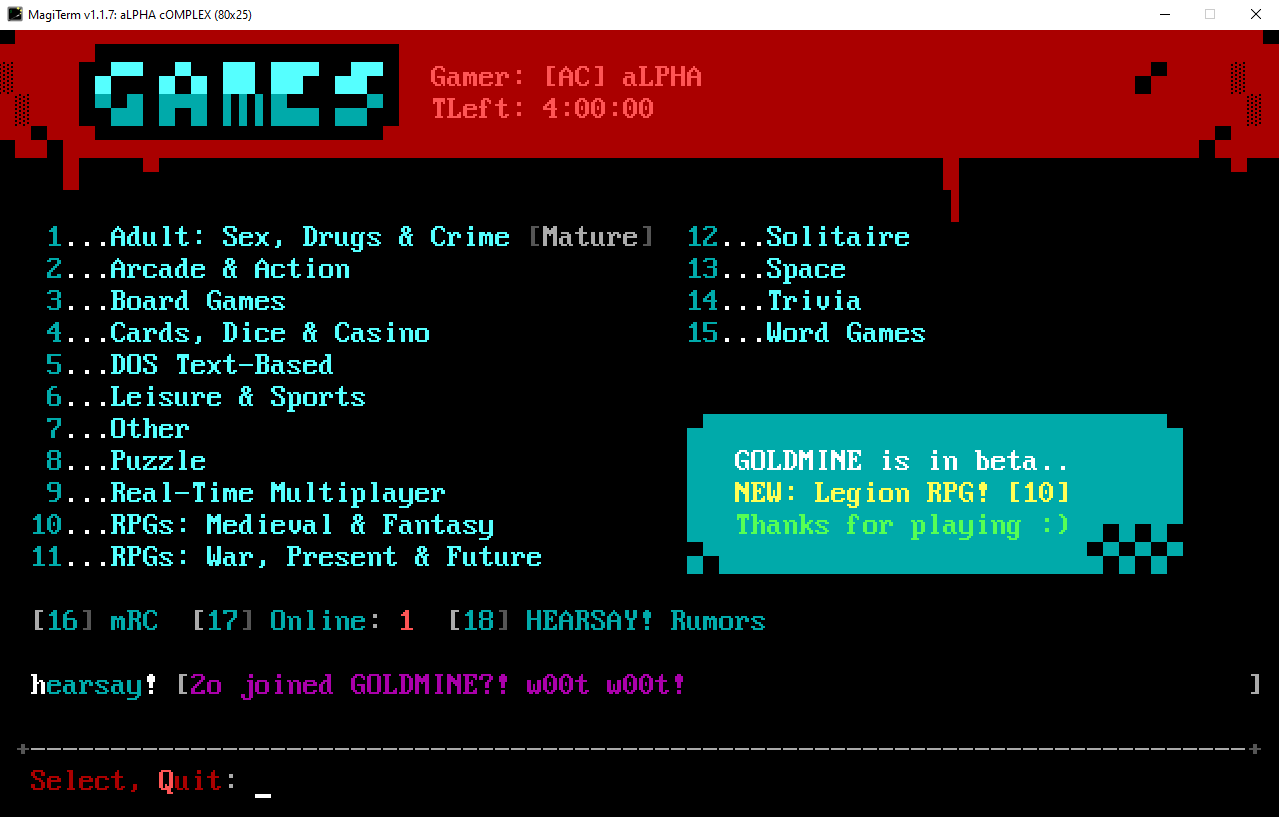
Welcome to gOLD mINE
gOLD mINE (named after a coin-op arcade near where j0hnny a1pha grew up) is a terminal-based Community Door Server for BBS games. Open to all, easy to access with modern BBS software.
It's located on port 2513 at
goldminedoors.com.
Total Games: Loading...
Setup Gold Mine
JOIN GOLD MINE
gOLD mINE does not require you to apply for membership. Just follow the directions below using RLOGIN.
CONNECT FROM YOUR BBS
Ready to go? Setup an outbound RLOGIN connection from a menu item on
your BBS to goldminedoors.com port 2513,
using the
settings below. Heck, you could even connect directly using RLOGIN and
Syncterm!
- If you are running a legacy DOS BBS under Windows, check out Telnet Door, use the RLOGIN mode
-
For Ubuntu or other Linux flavors, use
'sudo apt install rsh-redone-client'
CREATE A BBS TAG
Every gOLD mINE BBS needs a tag that identifies it. You can make it up, just use these guidelines:
- Format for the tag is: [TAG], replace "TAG" with your unique 3 characters that represent your BBS
- For instance, Space Junk BBS uses [SJ!]
- Use exactly 3 characters: no more, no less
- No profanity, please
Mystic BBS Example
Add gOLD mINE to your menu as
IR - Outbound RLOGIN Connection
/addr=goldminedoors.com /port=2513 /user=[TAG]@USER@ /pass=@USER@ /PROMPT-
Replace
TAGwith your unique 1-3 character BBS tag, e.g[ABC]. -
Make sure there are no spaces between
[TAG]and@USER@ -
FYI:
/PROMPThides the connection string from the user -
You can replace
/pass=@USER@with whatever you want for the@USER@part
Synchronet Example
?rlogin goldminedoors.com -s[TAG] -s %aMake sure to replace "TAG" with your own bbs tag.
WWIV BBS Example (Linux)
Use Chain Edit to add a gOLD Mine entry. If you want to load the main menu so your users can select a game, and not directly launch a specific door with a door code, leave off the door code parameter ("WORDEM"):
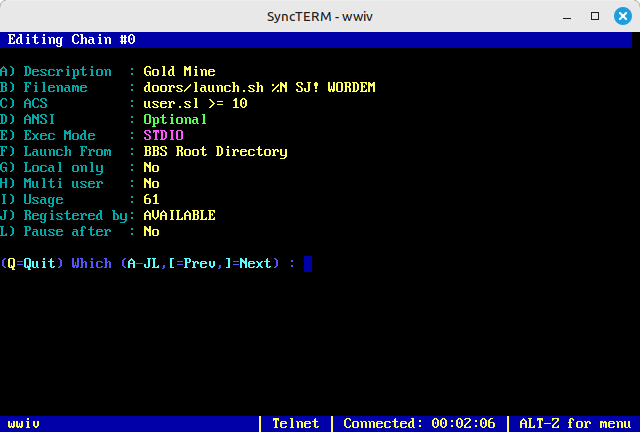
We're passing the node number (%N), your BBS Tag (replace with your Tag), and optional direct launch door code. Replace "goldmine.sh" with the path to your script.
launch.sh
#!/bin/bash

# Get the node number and door code from the arguments passed to the script
# Make sure the path to WWIV's DOOR32.SYS file is correct!

NODE_NUMBER=$1
BBS=$2
DOOR_CODE=$3
URL="goldminedoors.com"
PORT="2513"

# Define the path to the WWIV DOOR32.SYS file
DOOR32_SYS_PATH=/wwiv/e/${NODE_NUMBER}/temp/door32.sys

# Extract the alias from line 7, replace spaces with underscores, and store it in a variable
USER_ALIAS=$(sed -n '7p' "$DOOR32_SYS_PATH" | tr ' ' '-')
PREFIX="["$BBS"]"

# Run the rsh-redone-client command with the extracted user alias and provided door code
if [ -n "$DOOR_CODE" ]; then
TERM_PARAM="xtrn=$DOOR_CODE"
TERM=$TERM_PARAM rlogin -p $PORT -l "$PREFIX$USER_ALIAS" $URL
else
rlogin -p $PORT -l "$PREFIX$USER_ALIAS" $URL
fi
DIRECTLY LAUNCH A DOOR
If you want to launch a door game directly from your BBS, bypassing the gOLD mINE main menu, use a Door Code from the list on this page. If no door code is passed, the user will land at the gOLD mINE main menu.
Mystic Example
Replace the doorcode with a code below ("/term=xtrn=WORDLE") that you want to launch directly:
/addr=goldminedoors.com /port=2513 /user=[XYZ]@USER@ /pass=@USER@ /term=xtrn=WORDLE /PROMPTLibrary
GoldMine Game Code List
| DOOR NAME | GENRE | CODE |
|---|---|---|
| Loading game library... | ||
Top 10 Games - All Time
| DOOR NAME | GENRE | CODE | LAUNCH COUNT |
|---|---|---|---|
| Loading top games... | |||
API
Goldmine API
You can access some endpoints to retrieve JSON statistics for:
- Top 10 most launched games.
- Monthly statistics.
- Yearly statistics.
- All-time statistics.
- List all games with details.
Data automatically reloads and refreshes JSON data every 24 hours.
Access the API endpoints:
- Top 10 Games: https://goldminedoors.com/top10?period=all
- Replace all with month or year or a specific month (e.g., july) or year (e.g., 2024).
- Detailed Stats: https://goldminedoors.com/stats?period=all
- Replace all with month or year or a specific month (e.g., july) or year (e.g., 2024).
- Library: https://goldminedoors.com/library
API Endpoints
GET /top10
Retrieve the top 10 most launched games.
Query Parameters:
- period (required): The time period for the statistics. Valid values are month, year, all, or a specific month (e.g., july) or year (e.g., 2024).
Response:
200 OK: A JSON object containing the top 10 most launched games.
400 Bad Request: If the period parameter is missing or invalid.
{
      "period": "all",
      "games": [
        {
          "game_name": "Adventurer's Maze II",
          "door_code": "AM2",
          "category": "RPGs: Medieval & Fantasy",
          "launch_count": 42
        },
        ...
      ]
    }
GET /stats
Retrieve detailed statistics.
Query Parameters:
- period (required): The time period for the statistics. Valid values are month, year, all, or a specific month (e.g., july) or year (e.g., 2024).
Response:
200 OK: A JSON object containing detailed statistics.
400 Bad Request: If the period parameter is missing or invalid.
{
      "month": {
        "january": [
          {
            "game_name": "Adventurer's Maze II",
            "door_code": "AM2",
            "category": "RPGs: Medieval & Fantasy",
            "launch_count": 42
          },
          ...
        ],
        ...
      }
    }
GET /library
Retrieve a list of all games with details.
Query Parameters:
- None
Response:
200 OK: A JSON object containing the list of all games.
[
      {
        "game_name": "Adventurer's Maze II",
        "door_code": "AM2",
        "category": "RPGs: Medieval & Fantasy"
      },
      ...
]Contact
Need Help?
Contact j0hnny a1pha on
Discord (alpha_64) for more details or to ask a question.